
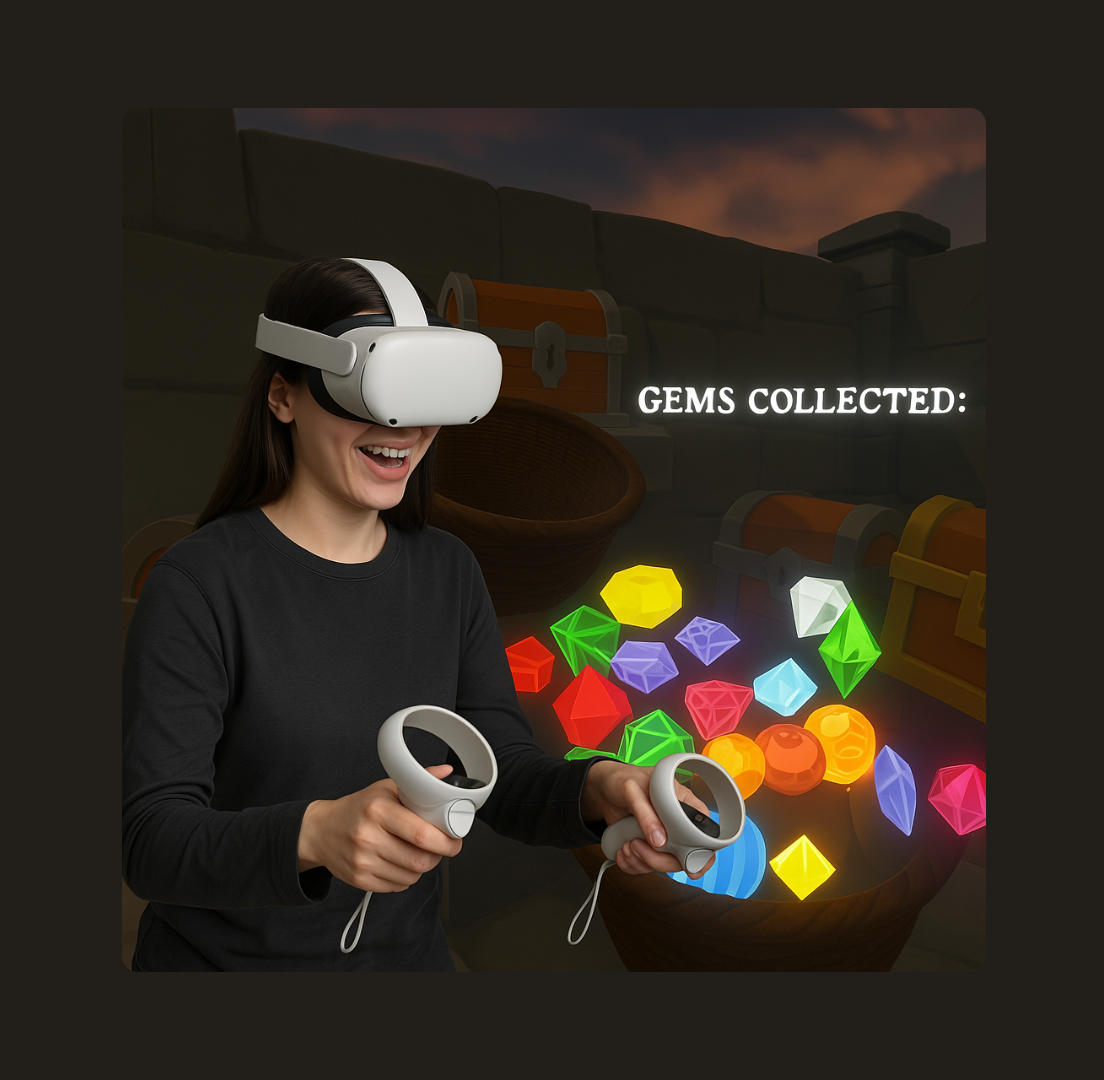
To create a VR game where players can experience the joy of collecting vibrant gems in a medieval-inspired world.
Context
to study and apply Norman's design principles, particularly affordances and feedback, in a VR environment. This game combines a passion for gems with an educational exploration of VR interaction. Details
Time Frame:
1 week
Role:
UX Designer and VR Developer
Tools:
Sketching, Unity, Oculus Rift, Unity Asset Store, C#
Responsibilities:
Game Conceptualization, UX Design, VR Interaction Design, Unity Development, Scripting and Coding, User Testing, Performance Optimization, Project Management, Technical Troubleshooting, User Feedback Integration
Overview
-
Enhance user enjoyment and ease of use through UX design principles tailored for VR.
-
Develop hands-on skills in VR game development using Unity. -
Provide an engaging learning experience for players new to VR and those interested in game design.
Challenge
VR gestures like grabbing and throwing gems, seamlessly Integrating Technical Components in Unity for fluid gameplay, and developing effective User Feedback Mechanisms to enhance player engagement and satisfaction. Process
Core part of the game
The main part of my game is collecting gems in a basket.
Applying the UX Law
I realized that asking players to collect each gem and then walk over to a fixed basket to place it could feel tiring and make them lose interest. According to Fitts' Law in UX, the farther away a target is, the harder and slower it is to reach. So, inspired by how people naturally hold a bag in one hand when collecting things, I made the basket dynamic and attached it to the player’s left hand.
Now, the basket moves with the player’s hand, making it much easier and faster to collect gems on the go.
Displaying the score
Initially, scores in game were only shown in the console, limiting player engagement. To improve this, I integrated real-time score updates into the VR environment using UI text, enhancing game interactivity.
Addressing Motion Sickness
The initial score text movement caused motion sickness due to its rapid pace. By implementing the Lerp technique, I smoothed the text movement, significantly reducing discomfort and improving the player experience.
Making the Basket Feel Real
The initial design of the game’s basket aimed to display all collected gems, intending to enhance the player’s sense of achievement. However, this led to practical issues within the game’s interface.
Optimizing Basket Functionality
Overcrowding and shrinking gem sizes in the basket detracted from gameplay. To address this, I used my computer science background and assistance from ChatGPT to implement a boolean variable, isCollected, which now displays only the three most recent gems. This solution maintains visual clarity and correct scoring, optimizing the user experience.
Game World Enhancement
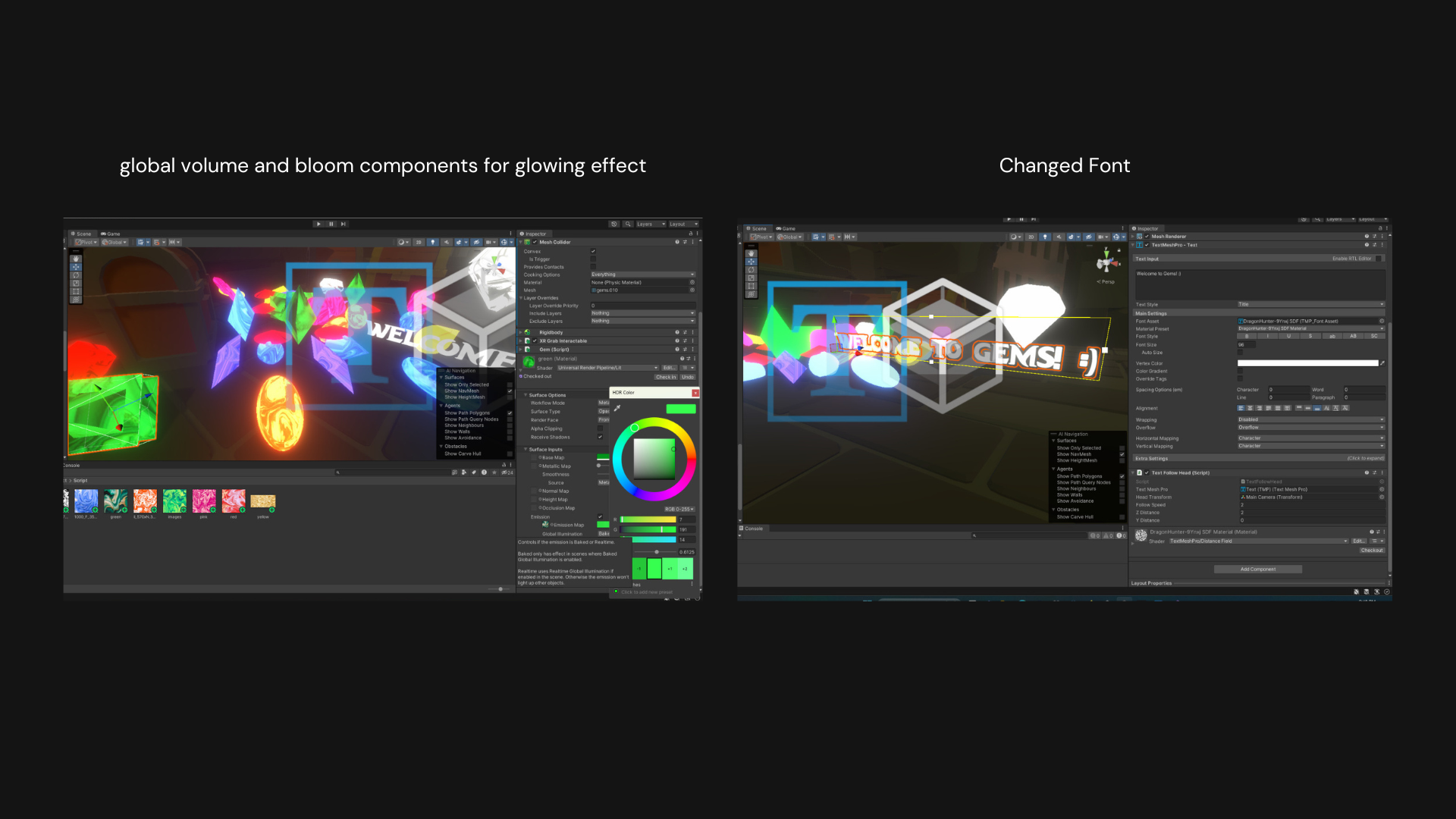
I adjusted the material textures and experimented with the emission settings to give the gems a more realistic look. I was encouraged to use the global volume and bloom components to add a glowing effect, enhancing the gems’ appearance.
I also changed the text font to better match the gaming aesthetic. I used the font “Dragon Hunter” to give it a more immersive, game-like feel.
Reflection and learnings
Empathy
I also saw how small design changes, like smoothing the UI movement with Lerp, can make a big difference in user comfort.
Real-Life Mirroring in VR
I learned how important it is to make interactions feel natural, like holding the basket in one hand to collect gems, which mirrors real-life actions.
Technical Expertise
Throughout this project, I gained a deeper understanding of Unity, especially in managing colliders and how different objects interact. I learned to use the XR Grab Interactable component to make objects easily grabbable in VR.